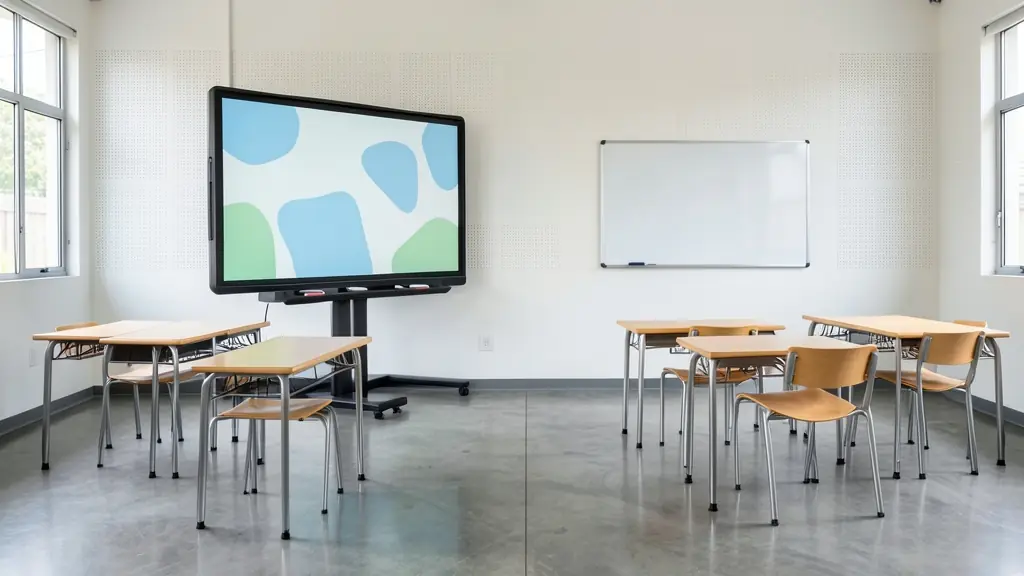
An interactive whiteboard, today usually an interactive flat panel, is a large touch screen you write on with a finger or stylus over whatever is displayed: a lesson, a spreadsheet, a plan. It replaces the projector and the board in one. Because it is a bigger purchase, the supplier's installation, training and support matter as much as the screen. Tell us how many rooms, the sizes and how you will use it, and we pass your request to independent suppliers in your area, who quote you directly. The request is free.
Interactive flat panels and older boards
Older interactive boards were a touch-sensitive surface with a projector above it. Most new installations are interactive flat panels: a bright touch screen with a built-in computer or a slot for one, speakers and ports for a laptop. Panels need no darkened room and no projector bulbs. Common sizes are roughly 65 to 86 inches, with bigger rooms needing the larger screens. Some suppliers still offer projector-based boards, which can make sense where a room already has a working projector.
Mounting, power and the room
A panel goes on a wall bracket or a mobile stand. A height-adjustable stand helps in classrooms where young learners and adults use the same screen. Plan for:
- A plug point and network point near the screen
- Wall strength for a heavy panel
- Backup power: a UPS keeps the lesson going for a short power cut and protects the panel, and a school on an inverter should check the load
- Security, as panels are a theft target
Software, training and support
Ask what software comes with the panel, whether it needs a licence or subscription, and if it works with the laptops and video call platform you already use. Schools often buy through a supplier that installs, trains teachers and visits for support. For boardrooms, check screen sharing from phones and laptops and the camera for hybrid meetings run by a meeting facilitator. A short hands-on training session for every user, not just the IT person, makes the difference between a panel that gets used and one that shows slides only.
What affects the cost
The price depends on screen size, the built-in computer, the stand or bracket, installation, software licences, training and the length of the warranty. Ask for each separately, and for the warranty terms on the panel and on the touch. For occasional events, it is often cheaper to hire a projector and screen, and for low-tech rooms a good whiteboard may be all you need. Before you sign, ask for a demonstration in your own room, or a visit to a school or office that already uses the same panel, and ask what happens if a panel fails in the warranty period: a swap, a loan unit or a repair on site.
What to include in your brief
- How many rooms and the screen size
- Wall bracket or mobile stand
- Software, licences and teacher training
- Backup power and network at each screen
- Warranty and on-site support
Interactive Whiteboards for business, government and communities
- Companies and head offices: boardroom panels for hybrid meetings, project planning and training rooms
- Government departments and municipalities: panels for council chambers, training centres and provincial boardrooms
- Schools, colleges and universities: classroom panels for schools and TVET colleges, with teacher training
- NPOs, churches and community groups: a donated panel for a community learning centre or NPO training room
- Small and family businesses: one panel in the meeting room for sales planning and client presentations
- Mines, plants, factories and farms: panels in training centres at mines and plants for safety and induction
- Event organisers and associations: panels for breakout rooms and hybrid sessions at a conference
- Training and skills development providers: panels in permanent training rooms for interactive courses
Frequently asked questions
Do you sell interactive whiteboards yourselves?
What size interactive panel do I need for a classroom?
Can a school get funding for interactive whiteboards?
Will an interactive whiteboard work during load-shedding?
Interactive Whiteboards by province and city
- Johannesburg
- Pretoria
- Centurion
- Midrand
- Sandton
- Randburg
- Roodepoort
- Krugersdorp
- Randfontein
- Germiston
- Boksburg
- Benoni
- Kempton Park
- Alberton
- Vanderbijlpark
- Vereeniging
- Durban
- Pinetown
- Pietermaritzburg
- Richards Bay
- Newcastle
- Ladysmith
- Gqeberha (Port Elizabeth)
- East London
- Kariega (Uitenhage)
- Mthatha
- Cape Town
- Bellville
- Paarl
- Stellenbosch
- George
- Worcester
- eMalahleni (Witbank)
- Middelburg
- Secunda
- Mbombela (Nelspruit)
- Rustenburg
- Brits
- Klerksdorp
- Potchefstroom
- Mahikeng
- Polokwane
- Tzaneen
- Kimberley
- Upington
- Bloemfontein
- Welkom
- Sasolburg